

 Loading...
About Vectaria.io
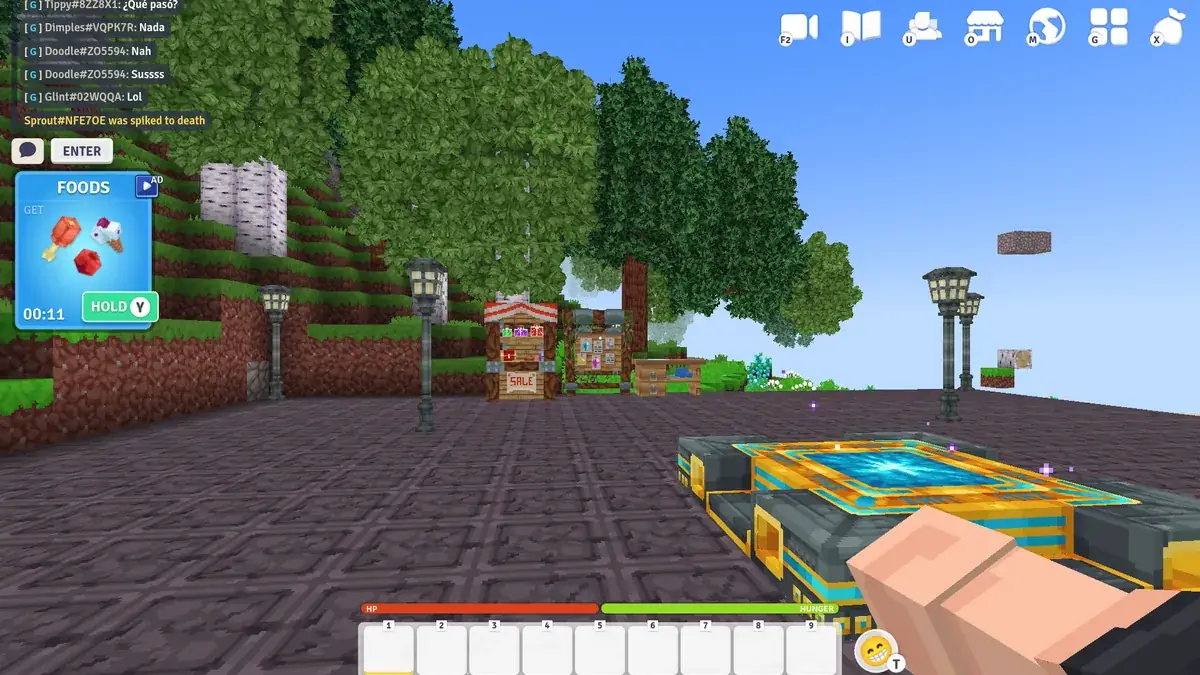
Vectaria.io brings the mine-craft-build loop to a browser tab. You choose a server, pick up a pickaxe and start turning a voxel world into tools, shelters and, when other players get close, a battlefield.
It offers several online modes, so you can spend a calm evening building or jump straight into faster competitive rounds.
Vectaria.io is aimed at players who love block-building games but do not want to install anything, as well as players who want to try survival or short competitive modes with other people online.
Vectaria.io at a glance
- Genre: Blocky 3D sandbox
- Players: Online multiplayer
- Devices: Desktop (keyboard and mouse recommended)
- Best for: Minecraft fans who want to play in a browser
How to play Vectaria.io
Start by gathering wood and stone, then craft better tools to mine faster and reach rarer materials. Build a shelter to keep your items safe and expand it into a real base. In survival-style modes, hunger and enemies push you to keep moving; in creative or mini-game modes, you focus on building or on short competitive challenges. Everything happens with familiar first-person block controls.
Controls
- W A S D: move, Space: jump, Shift: sneak
- Mouse: look, left click: mine or attack, right click: place
- E: inventory, 1 to 9: hotbar
- Touch screens: mining and building rely on precise mouse and keyboard input, so a computer is the comfortable way to play
Modes and progression
The servers offer different ways to play. Survival-style worlds follow the classic loop of gathering, crafting better tools and building a safe base while dealing with hunger and hostile creatures. Creative-style servers remove that pressure and let you focus on building. Mini-game servers are shorter and more competitive. In survival, progression is all about materials: wood leads to stone tools, stone tools let you mine faster and reach rarer blocks, and better equipment lets you explore further. Your base grows alongside it, from a simple shelter to a proper home for your items.
Getting started fast
Your first minutes decide how comfortable the rest of the session feels. Collect wood, craft a pickaxe, then go straight for stone tools. Build a small shelter before night or before you start exploring further. Keep your hotbar organised, with tools on the first keys and blocks after them, so you never fumble in a fight.
Tips and strategies for Vectaria.io
- Craft stone tools as soon as possible.
- Build a small base early to store resources.
- Sneak with Shift near edges to avoid falling.
- Keep blocks on your hotbar for quick bridges and walls.
- Choose a server mode that fits your mood: building or fighting.
- Mark the way back to your base with a simple tower or line of blocks so you can find it after exploring.
- Store spare materials in your base before heading into dangerous areas.
Common beginner mistakes
- Exploring far away before crafting stone tools.
- Leaving all your materials in your inventory instead of storing them.
- Mining straight down without seeing what is under you.
- Choosing a competitive server when you only want to build in peace.
Similar games on TotoyaPlay
More blocky sandboxes: Bloxd.io, Minecraft Classic and Miniblox.io. See all our Minecraft-style games.
Frequently asked questions about Vectaria.io
Is Vectaria.io like Minecraft?
Yes, it is a blocky 3D sandbox with mining, crafting and building, playable in a browser.
Can I play Vectaria.io with friends?
Yes, it has online multiplayer servers.
What are the controls?
WASD to move, mouse to look, left click to mine, right click to place, E for the inventory.
Does Vectaria.io have different modes?
Yes. Servers offer survival-style play, creative building and shorter mini-games.
What should I do first in Vectaria.io?
Gather wood, craft a pickaxe and upgrade to stone tools as soon as possible.
Can I play Vectaria.io on a phone?
It is made for keyboard and mouse, so a computer is recommended.
Comments