

 Loading...
About Dragon Simulator 3D
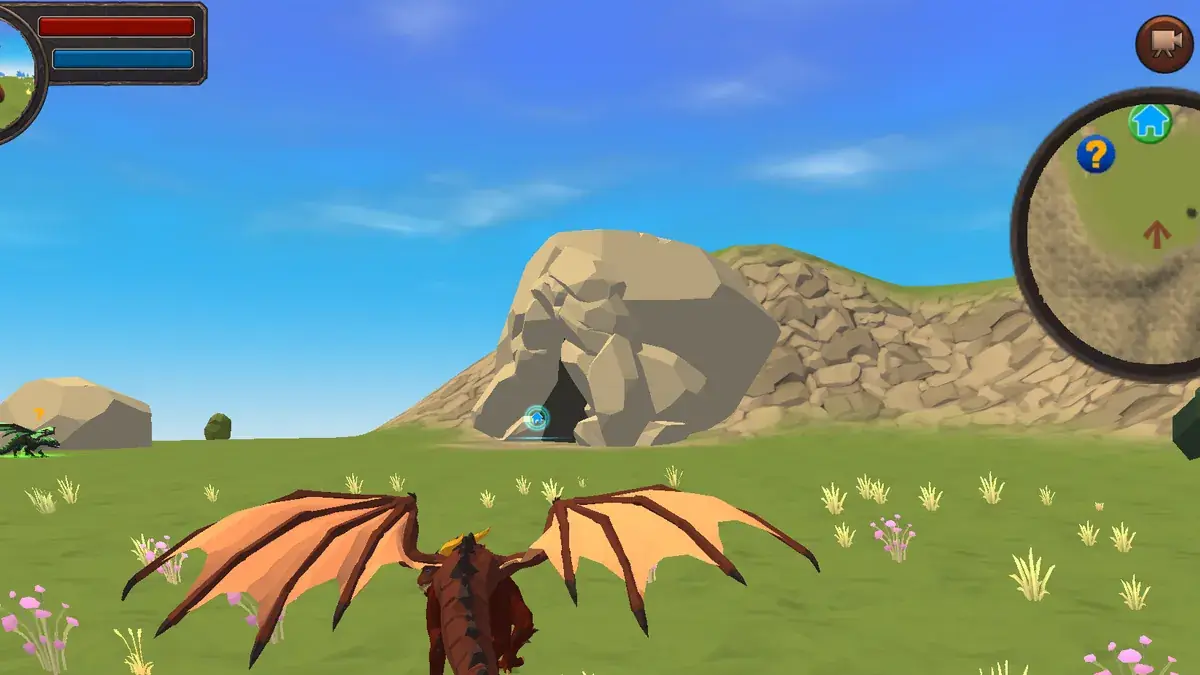
Dragon Simulator 3D lets you take the shape of a dragon. You pick your element, take off and fly over a large open world filled with missions, enemies to fight and hidden collectibles.
It mixes free exploration with combat and progression, so there is always something new to find.
The game suits fantasy fans, players who enjoy open-world exploration and anyone who has ever wanted to fly as a dragon. Combat is simple enough for younger players, while the missions and collectibles keep older players busy too.
Dragon Simulator 3D at a glance
- Genre: Open-world dragon flight
- Players: 1 player
- Devices: Desktop (keyboard and mouse recommended)
- Best for: players who want to fly and explore
How to play Dragon Simulator 3D
Choose a dragon and an element, then take off. Fly across the map, complete missions, fight enemies with your breath attack and melee strikes, and collect stars hidden in the landscape. Experience levels up your dragon, making it stronger and faster, and opens tougher missions.
Controls
- W A S D: fly and steer
- Space: go up / take off, Shift: dive or boost
- Mouse: look, left click: breath attack
- Right click / F: melee attack
- Touch screens: flying in 3D with separate climb, dive and attack keys is far easier on a computer with a keyboard and mouse
Missions, levels and exploration
Progress in Dragon Simulator 3D comes from missions and experience. Missions send you to different parts of the map to fight enemies or complete tasks, and each one you finish earns experience that levels up your dragon. A higher level makes it stronger and faster, which opens up tougher missions in more dangerous areas. Between missions, you can explore freely and look for stars hidden around the landscape. Flying high makes them easier to spot, and searching for them is a relaxing break from combat. The element you choose at the start gives your dragon its own style, and trying a different one later is a good way to see the world again with fresh eyes.
Flying like a pro
Height is safety. Climb before engaging enemies, then dive with Shift to close the distance quickly. Breath attacks are strongest against groups, while melee finishes single targets. Exploring at high altitude also makes hidden stars much easier to spot.
Tips and strategies for Dragon Simulator 3D
- Climb before attacking.
- Use breath attacks on groups and melee on single enemies.
- Complete easy missions first to level up.
- Fly high to spot hidden stars.
- Land to recover if your dragon is low on health.
- Fly low over open fields to find stars hidden in the grass and near rocks.
- Retreat and climb if a group of enemies surrounds you, then come back with a dive.
- Take on missions close to where you are rather than flying across the whole map each time.
Common beginner mistakes
- Attacking groups of enemies from the ground instead of from above.
- Using melee against a group when a breath attack would hit them all.
- Starting with the hardest missions before levelling up.
- Ignoring your health and continuing to fight when it is low.
Similar games on TotoyaPlay
More flying and creature games: Dragon World, Seadragons.io and EvoWorld.io. More in our simulation games.
Frequently asked questions about Dragon Simulator 3D
Can you choose your dragon?
Yes, you choose a dragon and an element at the start.
Is Dragon Simulator 3D an open world?
Yes, you fly freely across a large map with missions and secrets.
What are the controls?
WASD to fly, Space to climb, Shift to dive, left click for breath and right click or F for melee.
How do I level up my dragon?
Complete missions and defeat enemies to earn experience.
What are the stars for?
Stars are hidden collectibles spread across the map, which reward exploration.
Is Dragon Simulator 3D suitable for kids?
Yes. Combat is simple and fantasy-themed, without realistic violence.





Comments