
Ready to build, craft, and explore a whole new world made of paper? Welcome to Paper Minecraft, the amazing 2D adventure that brings the blocky universe you love right into your browser! Jump into a flat, fun world where your imagination is the only limit. You can build a giant castle, dig deep for shiny diamonds, or bravely fight off zombies and creepers when night falls. Whether you love building peacefully in Creative mode or surviving the dangers of Survival mode, Paper Minecraft offers endless hours of fun. Grab your tools and get ready to create your very own 2D masterpiece, one block at a time!
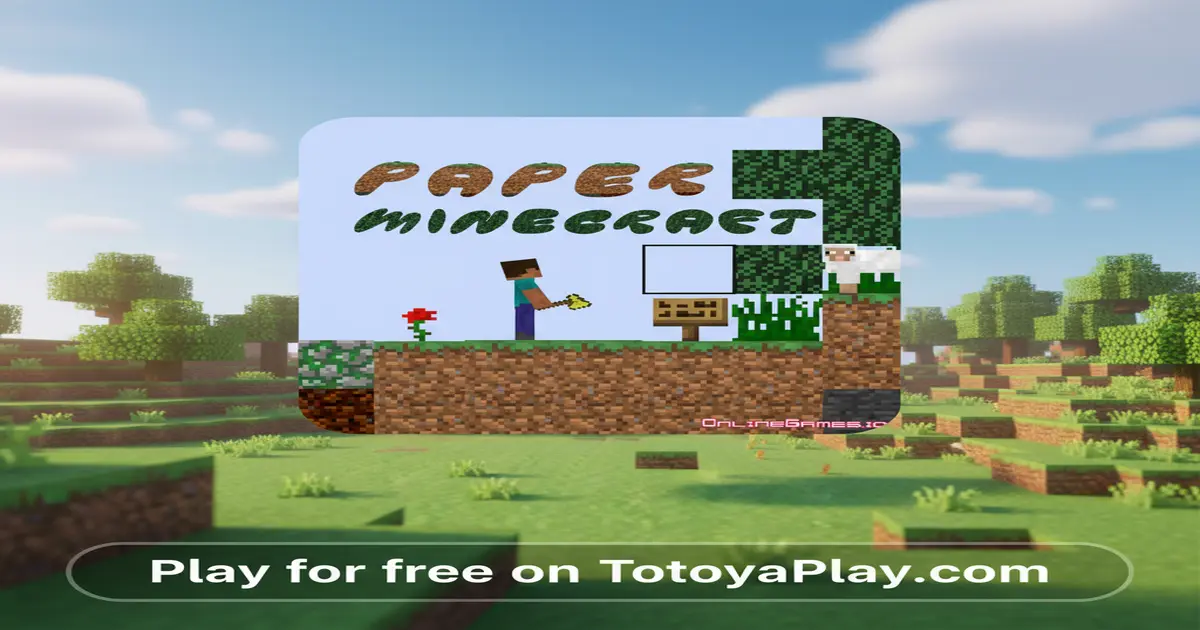
Paper Minecraft is a fantastic 2D browser game that captures the spirit of the world-famous sandbox game, Minecraft. Created by the talented developer Griffpatch, this game reimagines the 3D blocky world as a side-scrolling adventure. It’s a tribute that lets you experience the core mechanics of gathering resources, crafting items, building structures, and surviving against monsters, all within a charming, flat “paper” world. The simplicity is its greatest strength; it’s easy for anyone to pick up and play instantly, without needing a powerful computer or any downloads. It offers a wonderfully accessible way to enjoy the creative freedom that made the original game a global phenomenon.
The game’s popularity comes from its faithfulness to the source material combined with its unique 2D perspective. It’s not just a copy; it’s a clever new way to play. Players love the choice between two main game modes. In Survival mode, you must manage your health and hunger while collecting materials to protect yourself from creatures that come out at night. In Creative mode, you have unlimited resources and the ability to fly, allowing you to build incredible creations without any danger. This flexibility makes it perfect for all types of players, from those who seek a challenge to those who just want to relax and build. For fans of the genre, the Paper Minecraft Fandom Wiki is a great resource to dive deeper into crafting recipes, mob details, and advanced building techniques shared by the community.
The main goal in Paper Minecraft depends on the mode you choose. In Survival mode, your objective is to survive and thrive. This means gathering resources like wood and stone, crafting tools, building a shelter to stay safe from monsters at night, and finding food to keep your hunger bar full. You start with nothing and must punch trees to get your first wood blocks. From there, you craft a workbench, which unlocks hundreds of other recipes for tools, weapons, armor, and building materials. The core loop is simple but addictive: explore the world to find resources, use those resources to craft better gear, and use that gear to explore further and build bigger things.
In Creative mode, there are no limits! Your objective is simply to create. You have access to every block and item in the game right from the start. You can’t die, and you can fly around the world to find the perfect spot for your next big project. This mode is like a digital box of LEGOs where you can build anything you can dream up, from a cozy cottage to a towering skyscraper. The game encourages you to experiment with different blocks and designs. You can also generate different types of worlds, like a flat world for easier building or a standard world with mountains, caves, and oceans to explore. The fun comes from seeing your ideas come to life, block by block.
Mastering the controls is key to becoming a Paper Minecraft pro. The controls are simple and intuitive, making it easy to jump right in. Here’s how you can navigate your 2D world:
Want to become a master survivor and builder? Keep these powerful strategies in mind to conquer the 2D world of Paper Minecraft:
Looking to play Paper Minecraft unblocked at school or work? You’ve come to the right place! School and office networks often block gaming websites to keep everyone focused. However, TotoyaPlay offers a safe, secure, and unblocked version of Paper Minecraft. Our site is designed to be accessible, allowing you to enjoy your favorite block-building adventure during your free time or on a break, without any frustrating restrictions. Just open your browser, navigate to our site, and start playing instantly.
Many players search for terms like “Paper Minecraft Unblocked 76,” “Unblocked 66,” or other numbers, hoping to find a working version of the game. These sites can sometimes be slow, outdated, or filled with distracting ads. By playing directly on TotoyaPlay, you are guaranteed to have the official, most up-to-date, and safest version of the game. We optimize our games to run perfectly on modern browsers like Chrome, Edge, and Firefox, ensuring a smooth and enjoyable experience every time you play.
While the beauty of Paper Minecraft is playing it directly in your browser with no downloads, it’s important to be safe if you’re looking for other versions. Always prioritize official sources to avoid downloading harmful files or viruses.
Yes, you can play Paper Minecraft completely for free on our website. There are no hidden fees, subscriptions, or charges to enjoy the full game.
Yes! The game includes a save and load feature. You can save your world’s progress by clicking the “Save” button in the game menu. It will provide you with a code that you can copy. To load your world later, simply paste that code back into the “Load” field.
Paper Minecraft is a 2D fan-made game inspired by the original 3D Minecraft. It simplifies some features and presents the world from a side-scrolling perspective. The original Minecraft is a 3D game with much larger worlds, more mobs, and more complex features like The Nether and The End.
The version of Paper Minecraft featured here is a single-player experience. You can explore, build, and survive all on your own in your private world.
Paper Minecraft was created by a well-known and talented programmer named Griffpatch, who is famous for making impressive games and tutorials using the Scratch programming platform.
Absolutely! Since Paper Minecraft runs in a web browser, it works perfectly on Chromebooks. No downloads are needed, just open your Chrome browser and start playing.
If you had a blast creating and surviving in Paper Minecraft, you’ll love these other amazing games from our Minecraft category:
Paper Minecraft is more than just a game; it’s a canvas for your creativity and a test of your survival instincts, all wrapped up in a charming 2D package. It successfully captures the magic of its 3D inspiration, offering an experience that is both familiar and refreshingly new. Whether you spend hours carefully designing your dream home in Creative mode or feel the thrill of surviving your first night against a horde of zombies in Survival mode, the game provides endless opportunities for fun and adventure. Its simple controls and browser-based platform make it incredibly accessible for everyone, anywhere.
There’s a whole world of blocks waiting for you to explore, mine, and build. So what are you waiting for? Dive in and see what amazing creations you can bring to life or how long you can survive in the wild. The adventure is yours to shape. Click the play button now and start your epic journey in the world of Paper Minecraft!

 Loading...