

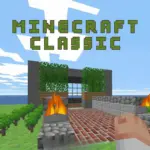

Get ready to step back in time and experience a piece of gaming history! Welcome to Minecraft Classic, the original and purest form of the world’s most popular block-building game. Right here on TotoyaPlay, you can dive into an endless world of creativity, all from your web browser. There’s no download, no installation, and no cost—just pure, simple, building fun. Grab your virtual pickaxe and let your imagination run wild. Whether you’re a long-time fan feeling nostalgic or a new player curious about where it all began, Minecraft Classic offers a wonderfully simple and relaxing sandbox experience. What will you create today?
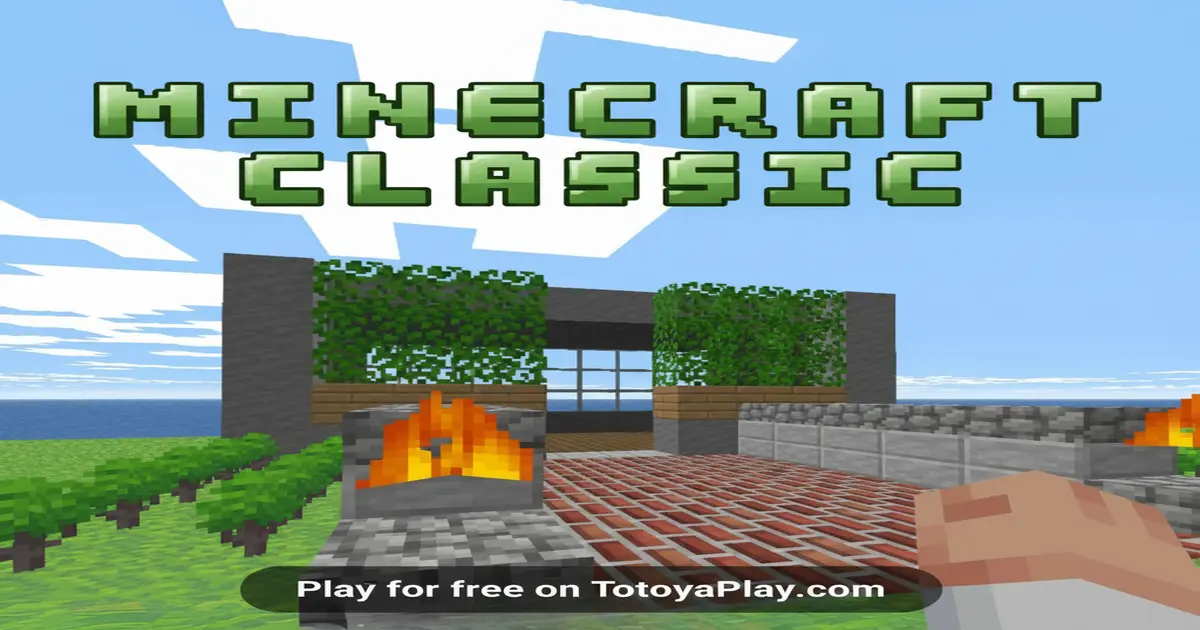
Minecraft Classic is a special version of Minecraft that takes you back to its earliest days in 2009. It was officially re-released by the game’s creators to celebrate the 10th anniversary of this global phenomenon. Think of it as a time capsule! This version is a “sandbox” game, which means it’s like a giant, open playground with no specific goals or rules to follow. Your mission is simple: to build. You are given a world made of blocks and a limited inventory of 32 different types of blocks. From there, the only limit is what you can dream up. You can build towering castles that touch the clouds, cozy little cottages by the water, complex mazes, or giant sculptures of your favorite characters. It’s like having an infinite box of digital LEGOs where you never run out of pieces.
The incredible popularity of Minecraft Classic comes from two main things: nostalgia and simplicity. For players who have been with Minecraft for years, it’s a wonderful trip down memory lane, reminding them of the simple charm that made them fall in love with the game in the first place. For new players, especially younger ones, it’s the perfect introduction to the world of 3D building. Modern Minecraft can be overwhelming with its crafting systems, monsters, hunger bars, and hundreds of items. Minecraft Classic strips all of that away, leaving only the core element of creativity. There are no Creepers to blow up your creations, no zombies to hide from at night, and no need to gather resources. It’s a peaceful, stress-free environment where you can just relax, build, and express yourself. This pure focus on building makes it an incredibly accessible and enjoyable game for people of all ages and skill levels.
Playing Minecraft Classic is incredibly easy and intuitive. The main objective of the game is simply to have fun and be creative. There is no story to complete, no final boss to defeat, and no high score to chase. Your goal is to use the blocks provided to build whatever you can imagine. You can work alone to create your own personal masterpiece or, even better, share a special link with up to nine of your friends and build something amazing together in the same world! The game is all about exploration, design, and collaboration.
The core gameplay loop is very straightforward. You start in a randomly generated world filled with grass, dirt, sand, and trees. First, you’ll look around and find a nice spot to begin your project. Next, you’ll open your block inventory to see all the materials you have available—from simple cobblestone and wood planks to vibrant colored wools. You select a block, and then you can either place new blocks to build up or break existing blocks to carve into the landscape. You can place a block with a left-click and break one with a right-click (or vice-versa, depending on your mode). You repeat this process—placing and breaking blocks—over and over again to bring your ideas to life. That’s it! The joy comes from seeing a simple, empty landscape transform into something unique and personal, one block at a time.
Mastering the controls is key to building efficiently. Here is how to navigate your blocky world:
While there’s no “winning” in Minecraft Classic, you can definitely become a master builder! Keep these strategies in mind to improve your creative skills:
Looking to play Minecraft Classic unblocked? You’ve come to the right place! School or work networks often have restrictions that block gaming websites. However, our site offers a secure and reliable version of the game that is designed to bypass these restrictions. TotoyaPlay ensures that you can access your favorite creative sandbox game whenever you have a break, without any fuss or blocked messages. Enjoy the freedom to build and create, no matter where you are.
Many players often search for terms like “unblocked 76” or “unblocked 66” to find versions of games that work on restricted networks. While those sites might work, they can sometimes be slow, outdated, or filled with ads. By playing directly here on TotoyaPlay, you ensure that you have the official, latest, and safest version of Minecraft Classic. Our platform is optimized for modern browsers like Chrome, Edge, and Firefox, giving you the smoothest and most enjoyable gameplay experience.
Always prioritize official and safe sources to play games and avoid viruses or malware. Here’s a breakdown of how to access Minecraft Classic and similar games:
Yes, you can play Minecraft Classic completely for free on our website. There are no hidden fees, subscriptions, or in-game purchases. It’s all about free, creative fun.
Unfortunately, the original Minecraft Classic does not include a save feature. Your world and all your amazing creations exist only for your current play session and will disappear once you close the browser tab. Think of each session as a brand new, fresh canvas to build on!
No! Minecraft Classic is a purely creative and peaceful game. There are no monsters, no creepers, no zombies, and no survival elements like a health or hunger bar. It’s a 100% safe environment focused entirely on building and imagination.
You can invite up to 9 of your friends to join your world for a total of 10 players. To invite them, simply copy the URL link from your browser’s address bar while you are in the game and share it with them.
No, this is a very early and simple version of the game from 2009. It features only 32 block types and has very limited mechanics compared to modern Minecraft. The full game, which includes survival mode, crafting, thousands of items, and endless updates, is a separate product that you can purchase from its official creators.
If you enjoyed the creative freedom of Minecraft Classic, you should definitely check out these related games in the Minecraft category:
Minecraft Classic is more than just a game; it’s a nostalgic journey back to the roots of a cultural icon. It offers a pure, unfiltered, and incredibly charming creative experience. By stripping away all the complexities of the modern game, it allows players of all ages to tap directly into the joy of creation. It’s the perfect digital sandbox for a quick break, a relaxing afternoon of building, or a fun collaborative project with friends. Its simplicity is its greatest strength, making it an endlessly replayable and timeless classic.
So, what are you waiting for? A vast, blocky world is ready for your unique touch. There are mountains to sculpt, valleys to fill, and incredible structures just waiting to be imagined. Click the ‘Play Now’ button to jump straight into the action and start your building adventure. See what amazing things you can create in the wonderful world of Minecraft Classic, right here on TotoyaPlay!

 Loading...